
Case Number 5156729324
Case Number 5156729324 – Closed
| Product Description: | HP OfficeJet Pro 8132e All-in-One Printer |
| Product Number: | 40Q35A |
| Serial Number: | XXXXXXXXXX |
| Case Subject: | PRINT / PRINTER FAILURE-BXJW0821-01 |
That was the email I received from Hewlett-Packard (HP) Customer Support Department on Tuesday, March 10, 2026.
Sherman, set the wayback machine to Sunday, March 8, 2026. Those who are of an age will get the joke! I was in my home office, starting to write my first draft of my weekly golf hole column. MS Office Outlook notified me of a new email in my mailbox. It was for a function of the neighborhood women’s group called the Garden Club. They had sent a notice of their next meeting.
Being a good husband, I attempted to print the email. During the printing process, the small screen on the front showed an unusual message, “System Failure.” Over the next hour, I attempted several steps to clear the error message. I turned off the printer. I unplugged the printer from the Power Strip. Nothing worked. The screen still showed “System Failure.” Because life happens, I had to leave the printer error message for the next day.
Contacting HP Customer Service
On Monday, March 9, 2026, after going through the same testing steps. I still had the “System Failure” message. I first tried to contact HP through the computer website. At first, I tried to use their AI Chat, which suggested the same things I had already done. The AI Chat finally told me to contact HP Customer Support. It took me a while to navigate the phone tree, but eventually I spoke with a young lady (I’m sorry I didn’t write down her name). I found out that I was past the one-year warranty period (it ended last fall). Still, I had a printer ink support contract that extended the warranty. The printer was covered. She was very helpful and determined that she could not fix the issue remotely. It appears a Firmware download did not work correctly, causing the system failure. The result was that the system failure had locked the entire printer. I could not even move the printer’s ink system to remove the ink cartridges. Once again, my life required my attention, so I had to end the call. Before ending, the lady gave me the case number.
I called the Customer Support Department on Tuesday morning and provided the case number to a different tech. After trying a couple of tests, the other customer service rep did not see any of the tests in the notes; he determined the printer was defective. By the end of the phone call, I was informed that a replacement HP OfficeJet Pro 8132e All-in-One Printer would be shipped that day and that I should have it on Wednesday, March 11, 2026.
Replacement Printer Arrives
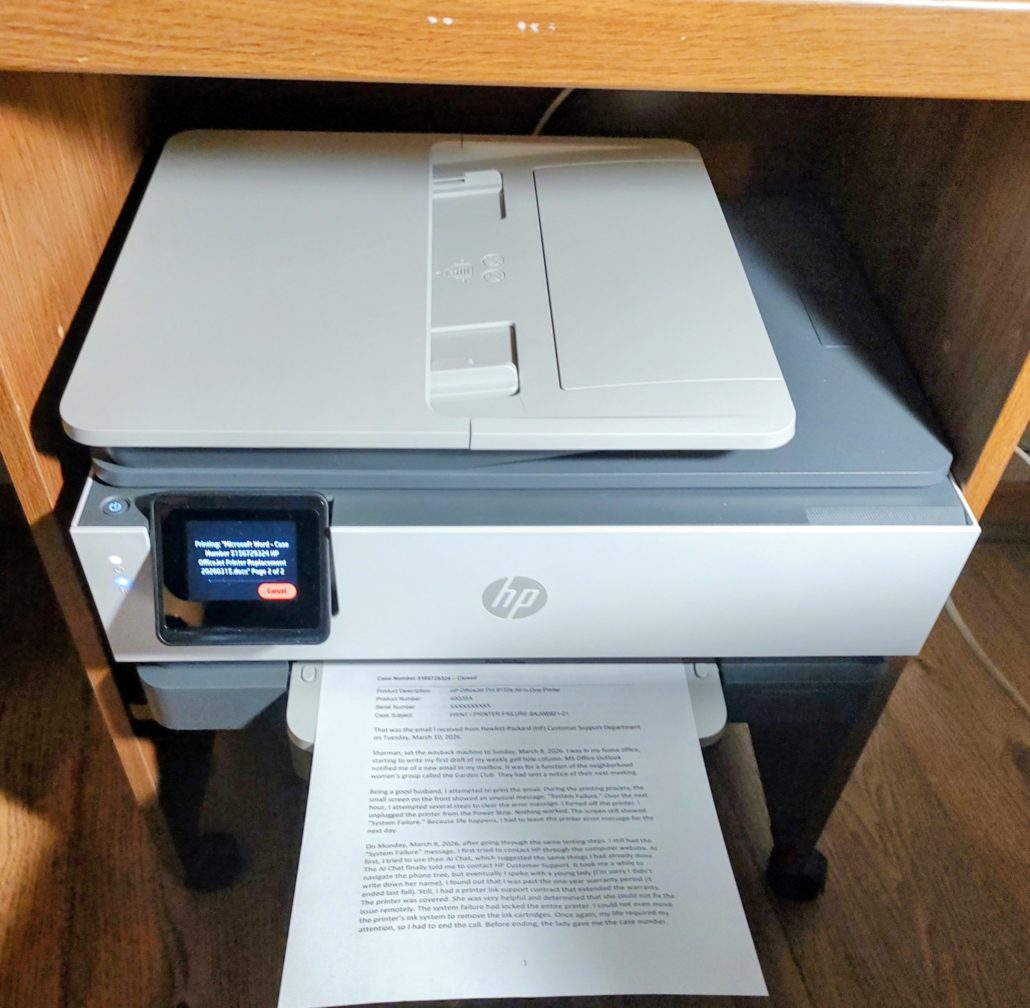
Being skeptical, “I’ll believe it when I see the printer on my doorstep.” However, on Wednesday evening, I found a large box from HP sitting on my doorstep.
On Thursday, March 12, I opened the box and found the replacement printer. I spent the morning setting up the new printer and went through the activation process. Soon, my laptop recognized the new printer, and I was able to print the meeting notice.
I spent the rest of the morning packing the old printer into the same box as the replacement printer that had arrived. After securing the box with tape, I attached the return to the HP shipping label. On Friday, March 13, 2026, I went to the local FedEx office and shipped the old printer back to the HP Customer Support Department.
Acknowledgement of HP Customer Service
We always hear from friends and on social media about people having problems with a company when trying to get a problem fixed. I want to acknowledge that the Hewlett-Packard (HP) Customer Support Department was very professional. They recognized the problem and provided a resolution. I could not have asked for better customer service.
lthough I’ve used many HP computers & printers throughout my career, both desktops and laptops, my “work” printer in my home office has always been an HP. For years, I had a very old HP OfficeJet Pro printer to print my black-and-white text documents. In 2024, I finally replaced that printer with the HP OfficeJet Pro 8132e All-in-One Printer. Now I have a new version of the same printer. I hope this printer lasts as long as the OfficeJet Pro printer.
P.B.S. Studios

P.B.S. Studios is a feature and content writer/photography/digital painting company that has written and published over a hundred articles for newspapers, magazines, and online publications. I’ve also had many other photographs published as illustrations in commercial and textbook publications. As a digital photo painter, I’ve had my work displayed in shops, libraries, galleries, restaurants, and commercial buildings (including Manassas City Hall), as well as on banners.